Changelog

Follow new updates and improvements to BugSmash.

What’s New — September 17, 2026
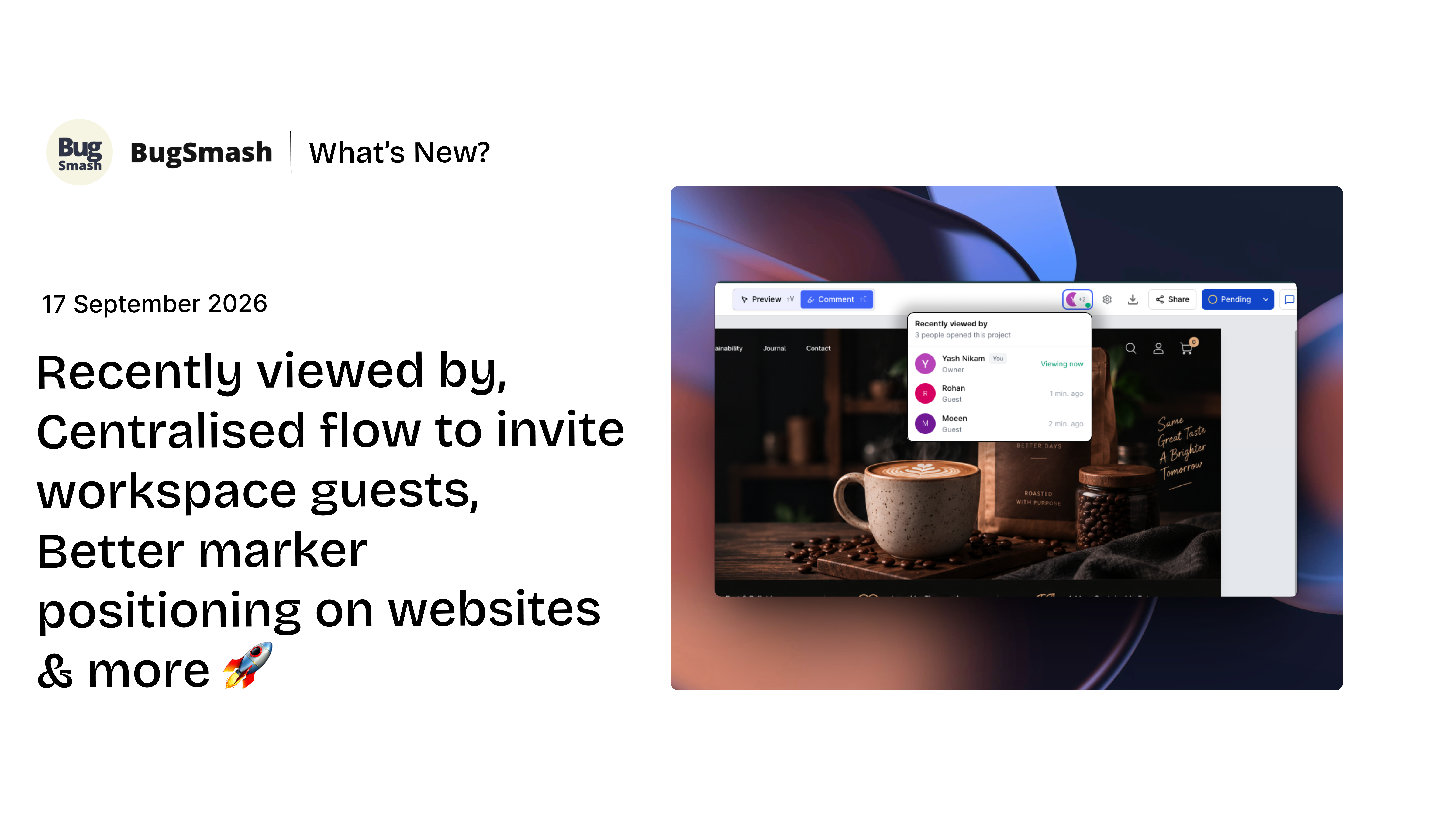
Recently Viewed By, Centralised flow to invite guest reviewers, Better marker positioning on websites & more 🚀

This update brings better visibility into who’s actually reviewing your projects, especially when working with Guest Reviewers. You can now see when, while new workspace-level Guest Reviewer invitations give you more control over their access

We’ve also made everyday workflows faster with bulk actions for comments and projects, continuous scrolling for documents, improved website marker positioning, PDF comment attachments, HTML bulk uploads, and CAD improvements.


✨ New Features

👀 Recently Viewed By
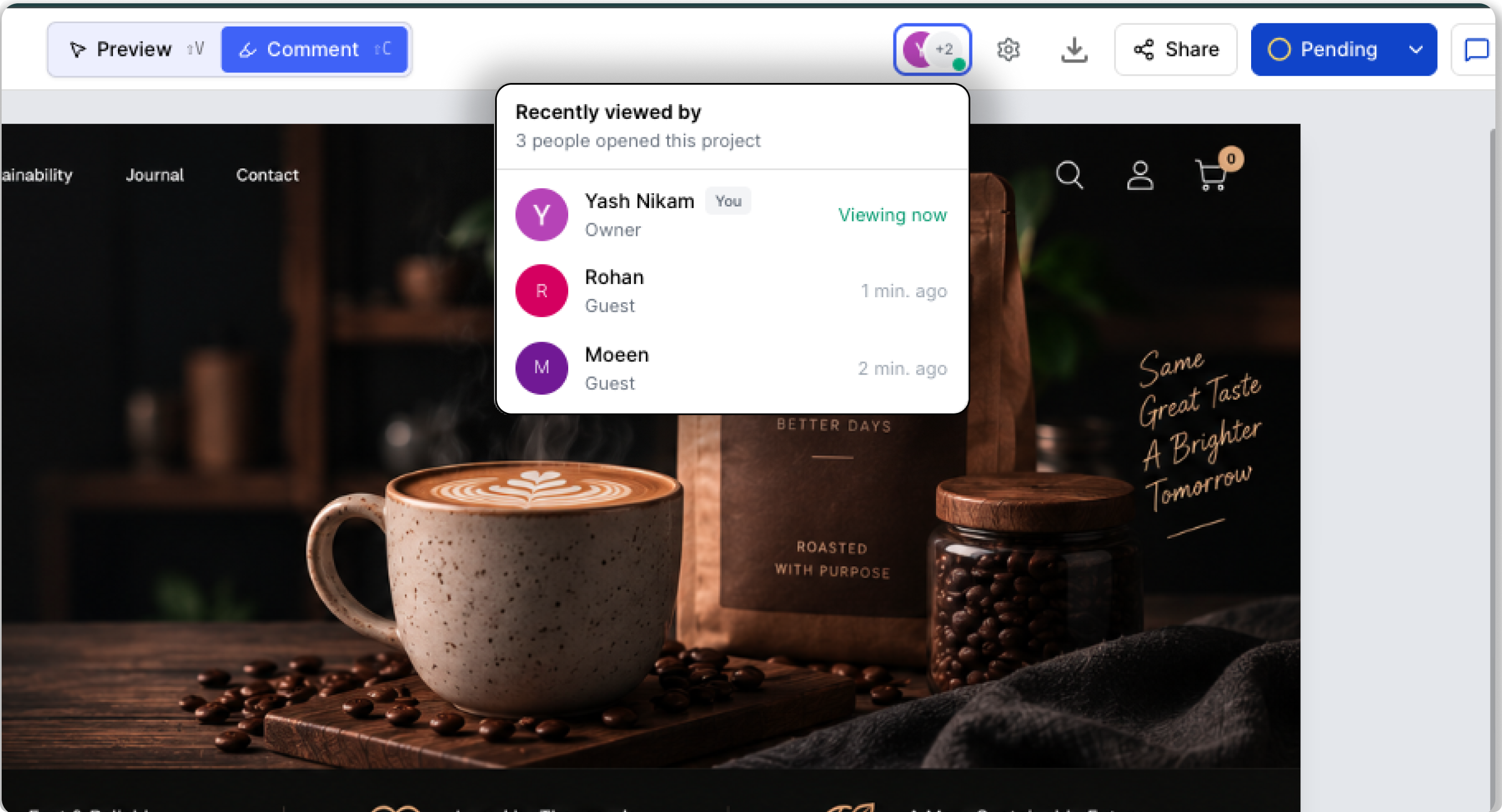
You can now see who is currently viewing your project, who has viewed it recently, and when they were last active.

This is especially useful when working with Guest Reviewers. Your internal team can now see when a guest has accessed a project, whether they’re currently reviewing it, and when they were last active.

Note: The Recently Viewed By section is only visible to the internal team, including Owners, Admins, and Members. Guest reviewers cannot see the activity of internal users.

You can see:

  • Who is currently viewing the project

  • Who viewed the project recently

  • When the guest reviewer or a teammate was last active

This gives your team better visibility into project engagement and makes it easier to know when clients, guests, or teammates are actively reviewing your work.


✨ Improvements

📍 Better marker positioning on websites

We've improved how markers stay positioned when changes are made to a website.

This helps keep feedback closer to its original location, even when the website layout or content is updated.


💬 Bulk update comments — Select all option
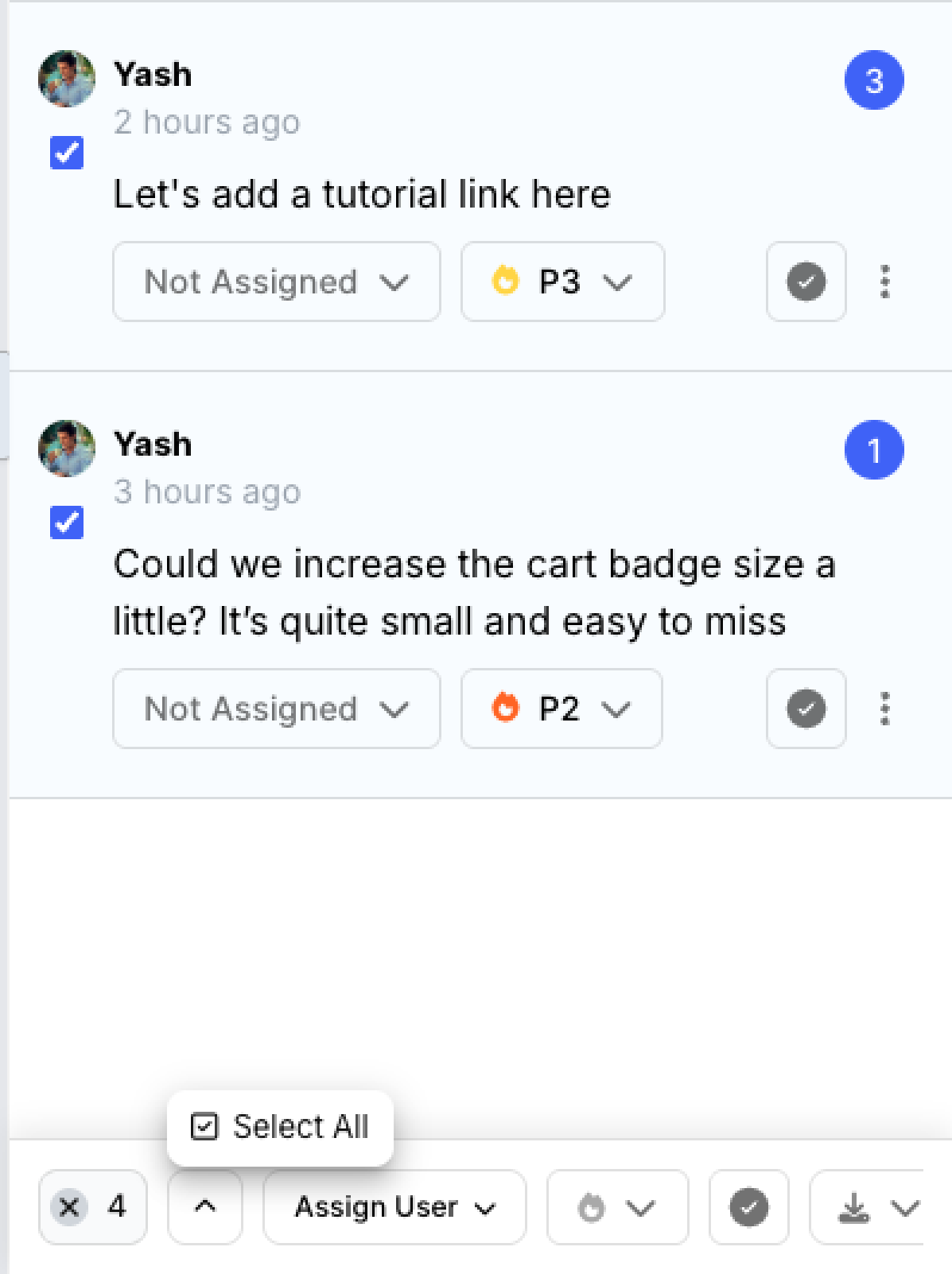
You can now select all comments at once and perform bulk actions instead of managing comments individually.

Once comments are selected, you can:

  • Assign multiple comments to a team member

  • Change priority in bulk

  • Resolve multiple comments at once

  • Delete multiple comments

  • Export selected comments

You can also export selected comments in different available formats, making it easier to prepare feedback, create reports, or share comments with your team.

Whether you're cleaning up feedback or updating a large number of comments, Select All makes comment management much faster.


📁 Bulk update projects — Select all option

You can now select all projects at once and manage them in bulk.

Instead of selecting projects one by one, you can quickly select everything you need and take action in just a few clicks.

With Select All, you can:

  • Delete multiple projects at once to quickly clear up workspace space

  • Move multiple projects into a folder

  • Organize large numbers of projects more efficiently

This makes it much easier to clean up your workspace and keep projects organized.


📄 Continuous scrolling for PDFs, PPTs & Docs

Reviewing multi-page documents is now smoother.

Previously, you had to manually switch between pages using the sidebar. You can now scroll continuously through PDF, PPT, and Doc projects, making it easier to review longer documents from start to finish.


👤 Invite Guest Reviewers from Workspace Settings
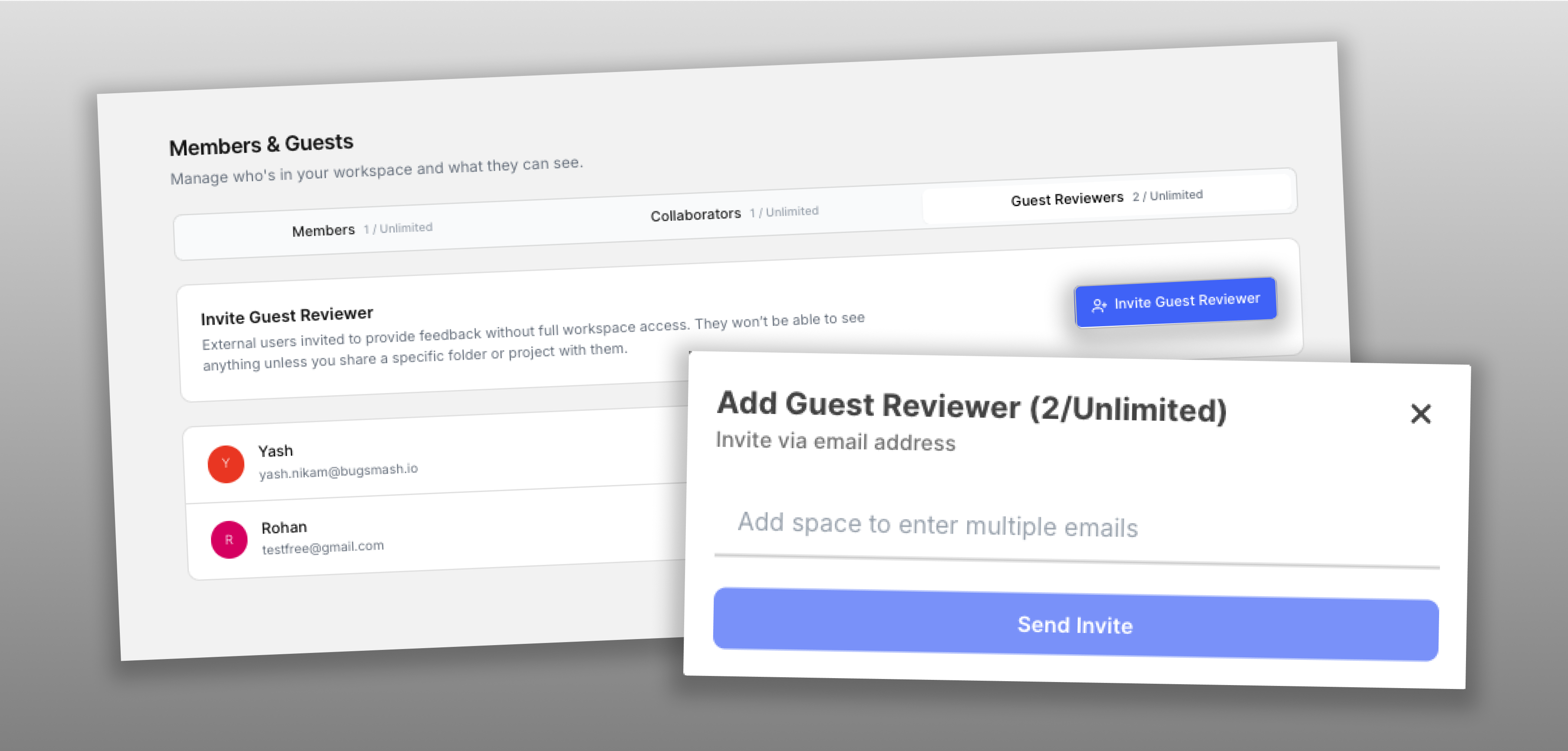
You can now invite Guest Reviewers directly from Workspace Settings.

Guest Reviewers can have access to your workspace without automatically seeing all of your projects.

Once invited, you’ll need to manually share the specific projects or folders you want them to access.

This gives your team more control over what each Guest Reviewer can see while keeping the rest of your workspace private.


📎 PDF attachments in comments

You can now attach PDF files directly to comments.

This makes it easier to share supporting documents, references, specifications, and additional context alongside your feedback.


</> HTML files in bulk uploads

Bulk uploads now support HTML files.

You can add HTML files alongside other supported files when uploading multiple projects at once, making it easier to upload and organize larger sets of project files.


🛠️ Fixes

Folder project count updates

Fixed an issue where the project count shown on a folder wouldn't update immediately after adding a new project.

The count now updates correctly as soon as a new project is added.


Improved CAD pinch-to-zoom

Fixed an issue where pinch gestures in CAD projects could zoom in or out in the wrong direction.

Pinch-to-zoom now works as expected when inspecting CAD drawings.


🚀 Smoother Reviews, Better Collaboration

From knowing when guests and teammates are reviewing your projects to managing comments and projects in bulk, this update makes everyday workflows easier across BugSmash.

With smoother document navigation, more flexible Guest Reviewer access, better website markers, and support for more ways to share feedback, you can spend less time managing your review workflow and more time getting work done.

More improvements coming soon. 🚀
New FeatureEnhancementFix

What's New — September 4, 2026

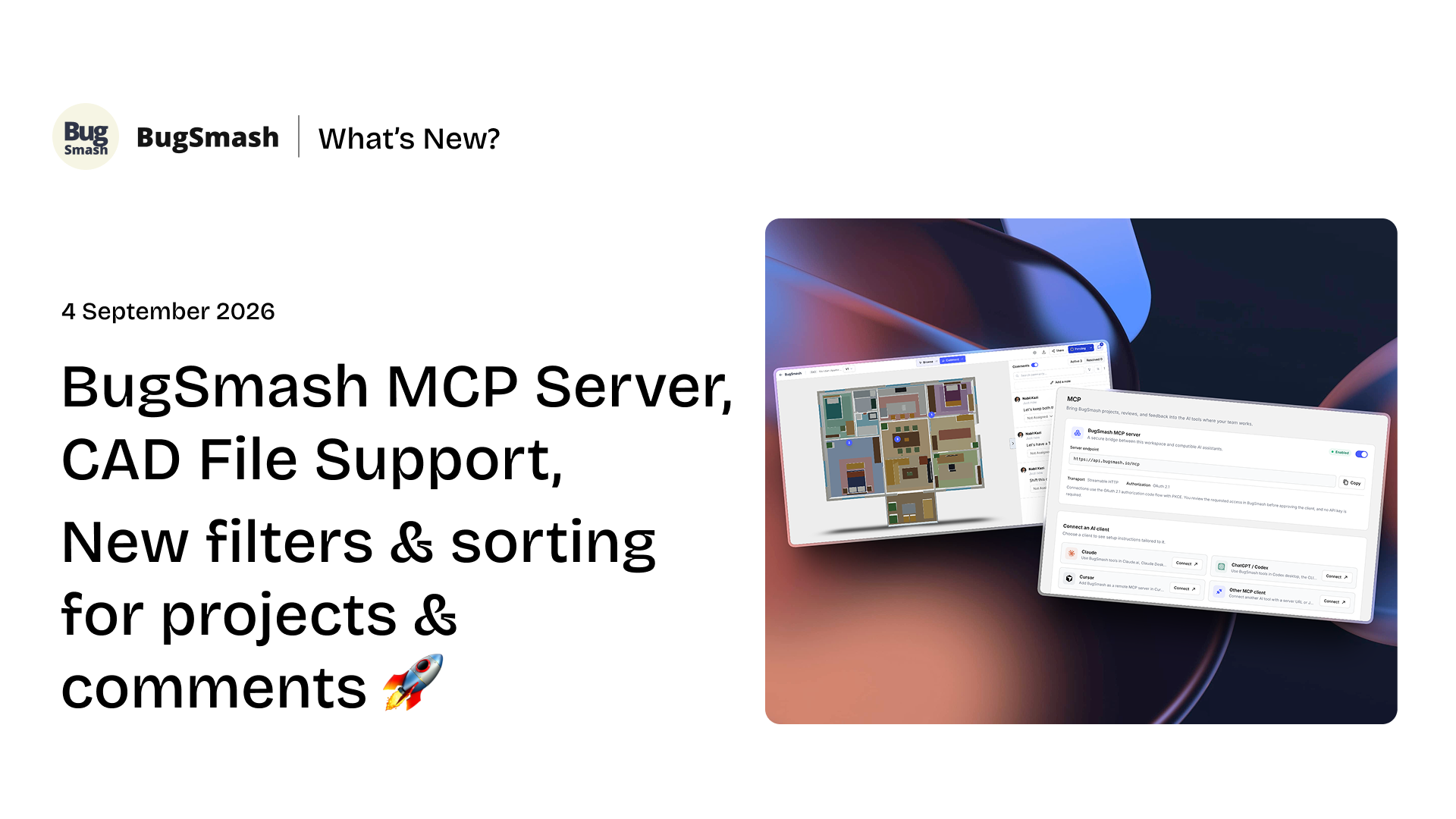
BugSmash MCP Server, CAD File Support, New filters & sorting for projects & comments 🚀

This update brings you the all-powerful BugSmash MCP server, which you can connect with your existing AI tools - Claude, Cursor, Codex, etc - Review CAD designs directly in BugSmash, and stay on top of projects and comments with new filters & sorting.

We've also made several improvements to website review markers, version activity, and comment handling to make your review workflow more consistent.


✨ New Features

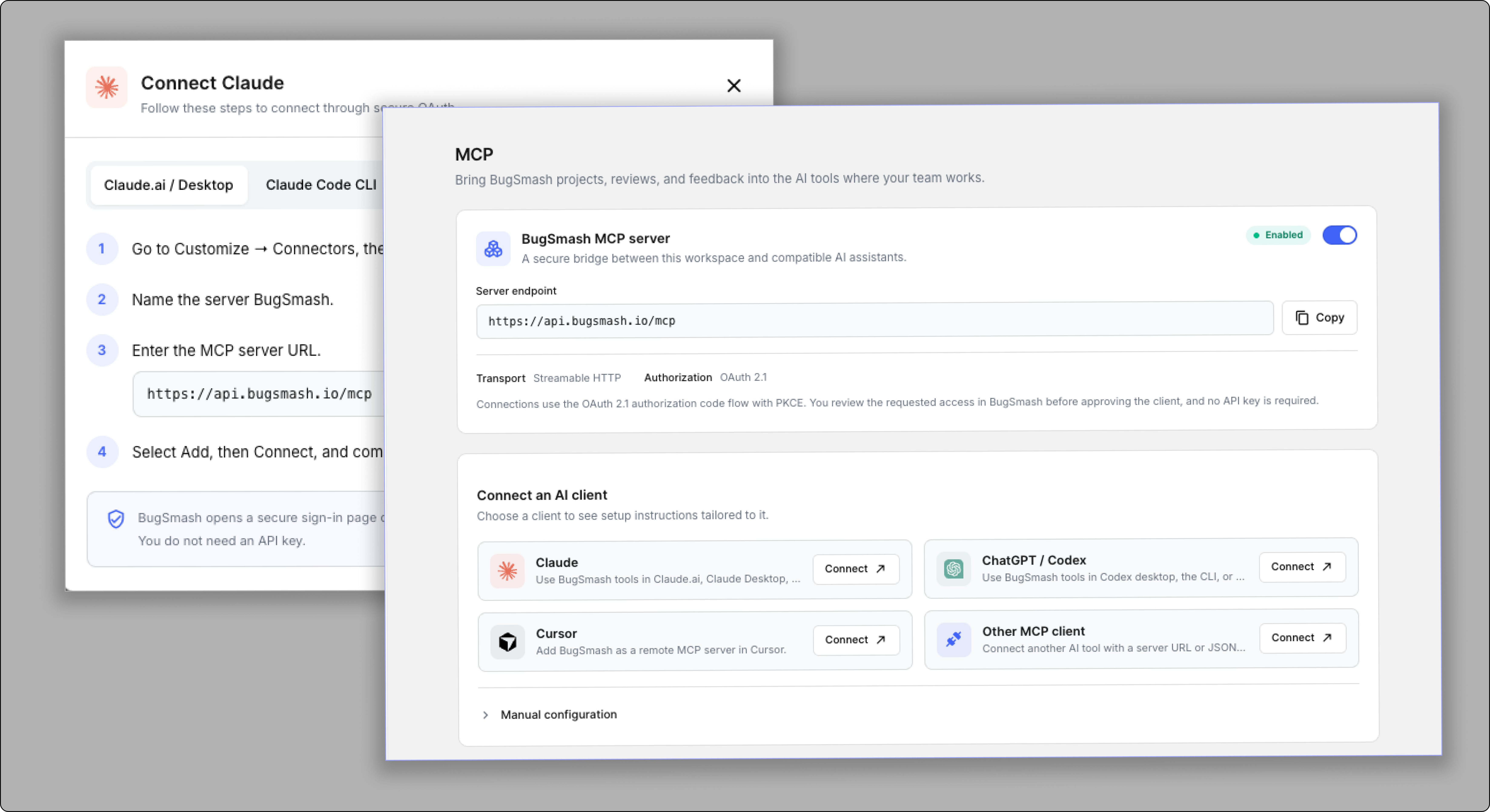
🤖 BugSmash MCP


Bring BugSmash into your AI workflow

You can now connect BugSmash to compatible AI tools using our new MCP server.

MCP creates a secure bridge between your BugSmash workspace and supported AI clients, allowing you to bring your projects, reviews, and feedback into the tools where your team works.

You can connect BugSmash with:

  • Claude

  • ChatGPT / Codex

  • Cursor

  • Other MCP-compatible clients

Connections use secure OAuth 2.1 authorization, so you can review and approve access without needing an API key.


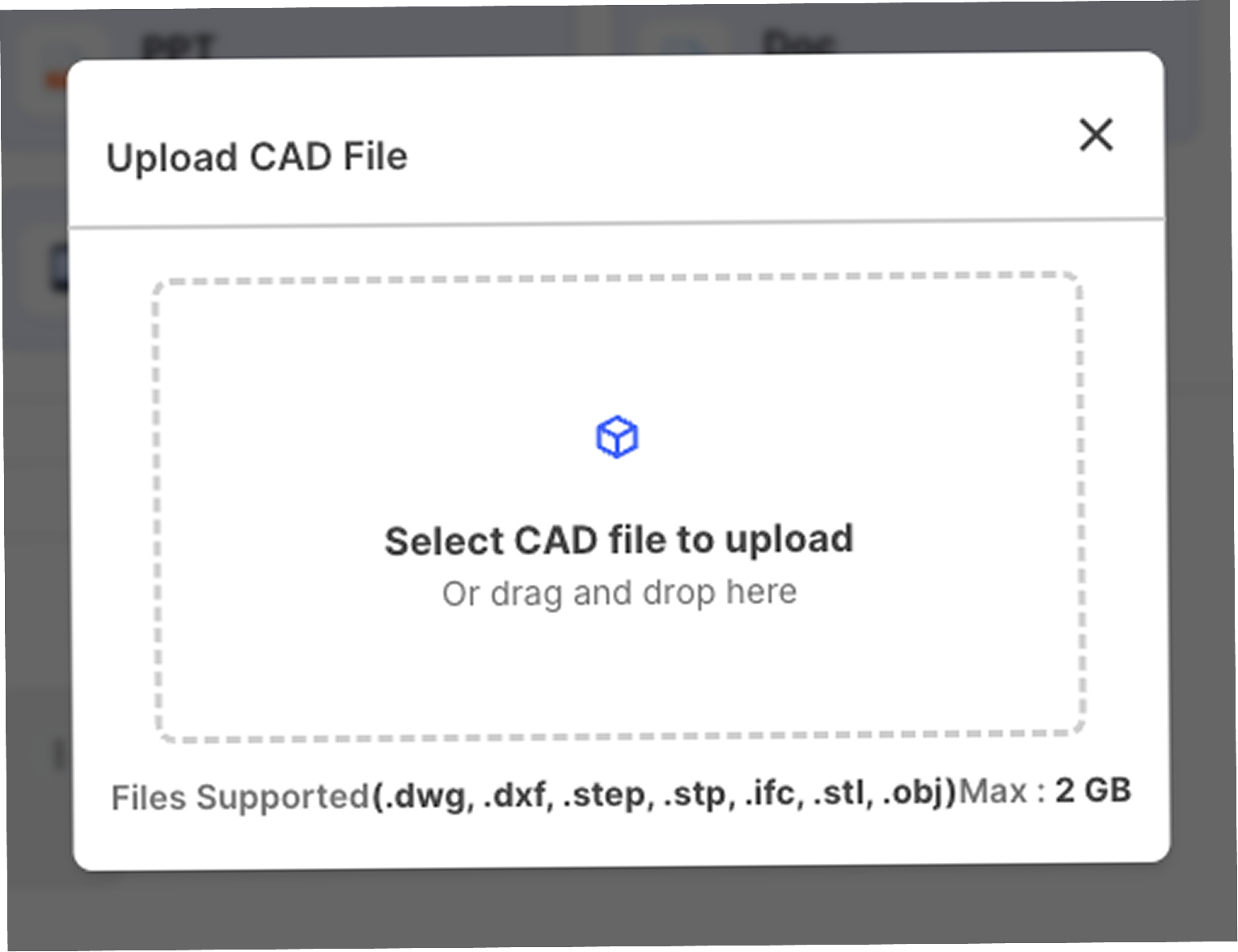
📐 CAD File Support


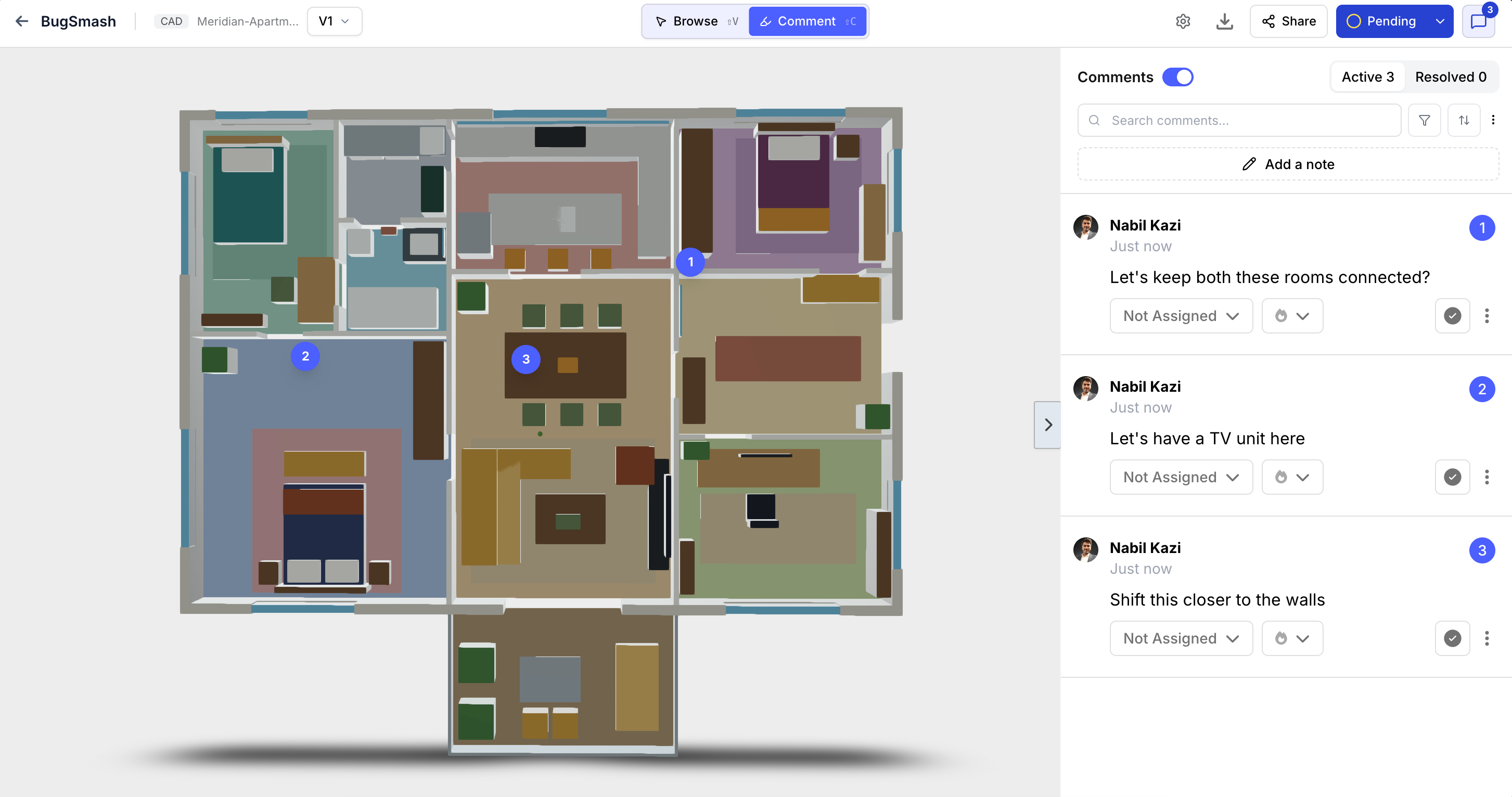
Review CAD designs directly in BugSmash

BugSmash now supports CAD drawings, making it easier to collect visual feedback on architectural plans, technical drawings, and other CAD designs.

You can upload and review:

  • .dwg

  • .dxf

  • .step

  • .stp

  • .ifc

  • .stl

  • .obj

Once uploaded, you can review the drawing directly in BugSmash and add comments to specific areas of the design.

Whether you're reviewing a floor plan, engineering drawing, or 3D model, your team can keep the feedback connected directly to the design.


💬 More powerful comment filters

Find the feedback that matters

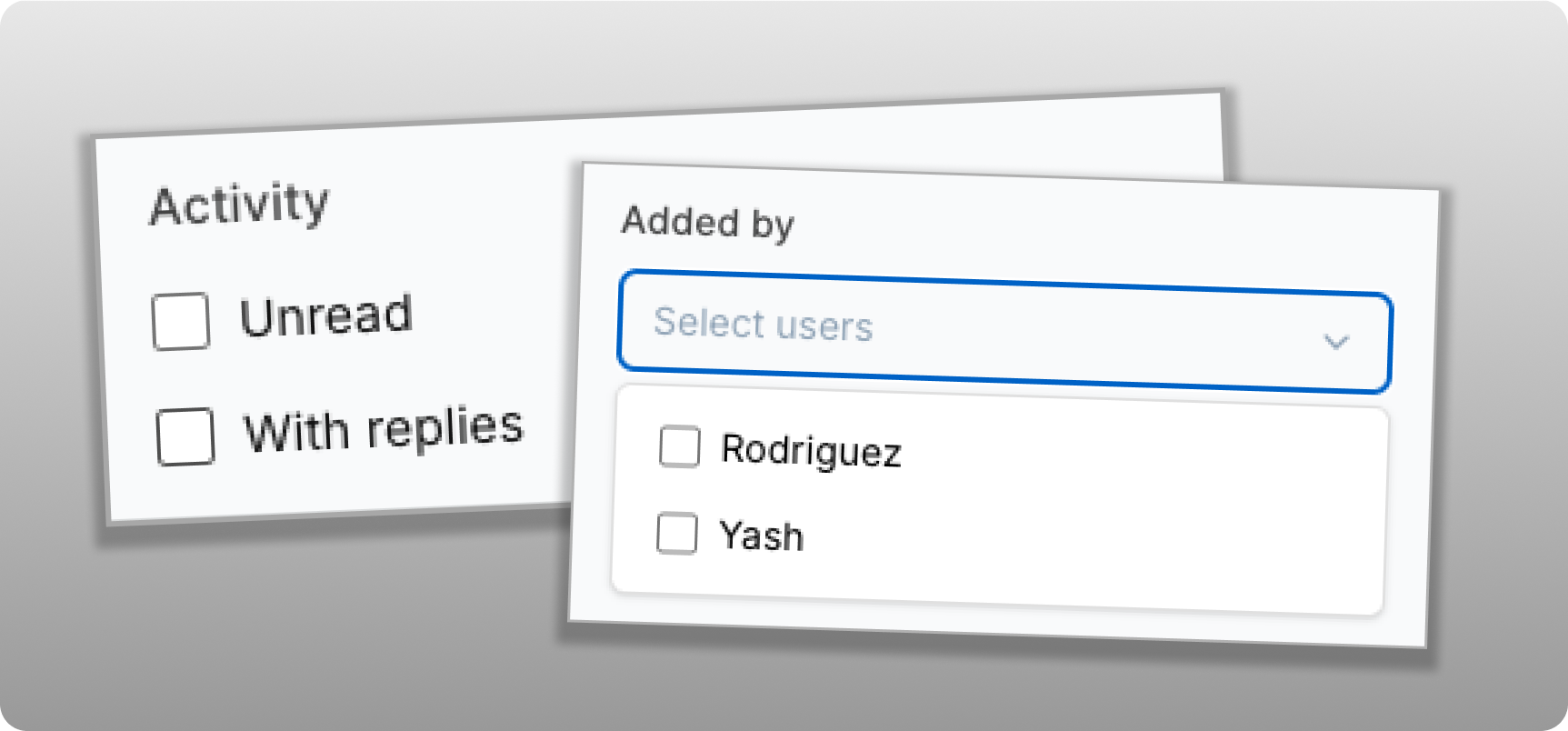
We've added new filters to the comments view so you can quickly narrow down your feedback.

You can now filter comments by:

  • Added By — See comments added by specific team members.

  • All Unread — Quickly find comments that haven't been read yet.

  • With Replies — Filter comments that already have replies.

You can also combine filters to narrow down your results and quickly find the feedback you're looking for.


🗂️ Smarter project activity & sorting

Quickly find projects with new activity

We've added new ways to organize and find projects directly from the dashboard.

You can now:

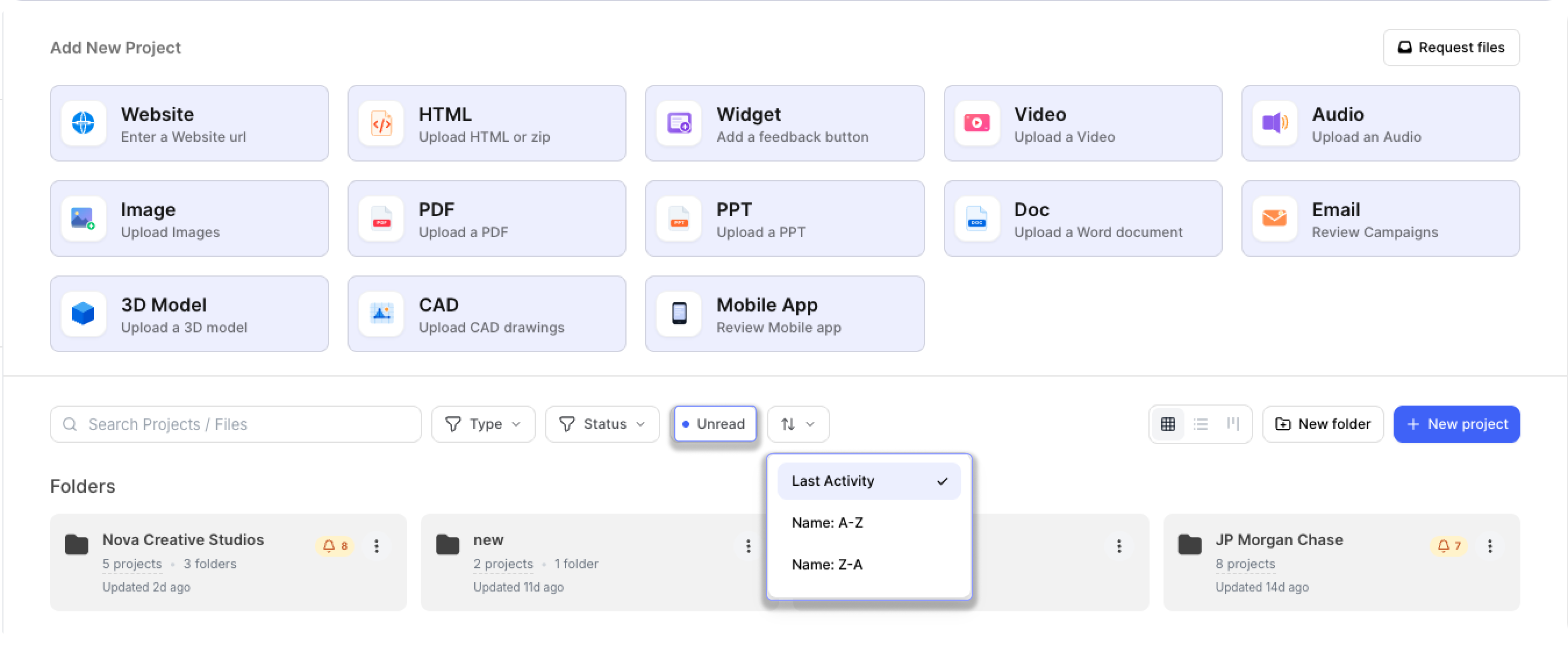
  • Filter projects with NEW UNREAD comment/replies.

  • Sort projects by Name A–Z or Name Z–A.

The Unread filter especially makes it very easy to see which projects have new comments or replies. This makes it easier to jump straight into the projects that need your attention.


✨ Improvements

📍 Better marker positioning on website reviews

THIS IS A VERY IMPORTANT ONE 🔥

We've improved how comment markers stay aligned when website content changes.

When elements on a website move or the page layout changes, markers now do a better job of remaining aligned with the area where the feedback was originally added.

This is V1 of our marker-positioning improvements, and we'll continue refining this experience to make website reviews even more reliable.


🔔 More accurate activity across project versions

We've improved activity tracking across project versions to keep your notifications focused and relevant.

Previously, activity from older project versions could appear in the notification bell, even when the current version had no new activity. Now, notifications are scoped to the current project version, so you can quickly see what’s new and focus on the feedback that actually needs your attention.


🛠️ Fixes

Version comparison for logged-in guests

Fixed an issue where version comparison wasn't working correctly for logged-in guest users.

Logged-in guests can now compare project versions as expected.


Cleaner comment sidebar spacing

Fixed an issue where adding comments to a new page or image could cause unexpected spacing to appear in the comment sidebar.

The sidebar now maintains consistent spacing when moving between pages, images, and files.


More accurate unread & resolved activity

Previously, a comment could continue to appear as NEW even after you had already taken an action on it.
Now, the NEW status is automatically cleared when you interact with a comment, such as:

  • Resolving the comment

  • Changing its priority

  • Updating the assignee

  • Taking any action on the comment

This keeps your unread activity accurate and ensures that comments you've already interacted with no longer appear as new.


More accurate notifications

We've improved how unread activity is shown for projects and folders.

Previously, notifications could show unread comments and activity from previous project versions, making it harder to identify what needs your attention. We've updated this so it now considers only activity from the active project version.

This keeps your notifications focused on the current version and helps you stay on top of the feedback that matters.


🚀 Better Reviews, Better Visibility

With BugSmash MCP, CAD file support, smarter comment filters, improved project activity controls, and better handling of versions and markers, this update makes it easier to bring BugSmash into your existing workflow and stay focused on the feedback that matters.

We're continuing to improve both the breadth and the depth of the product to make BugSmash the universal review and approval layer for all your creative work. More to come soon 🚀

What's New — August 11th, 2026

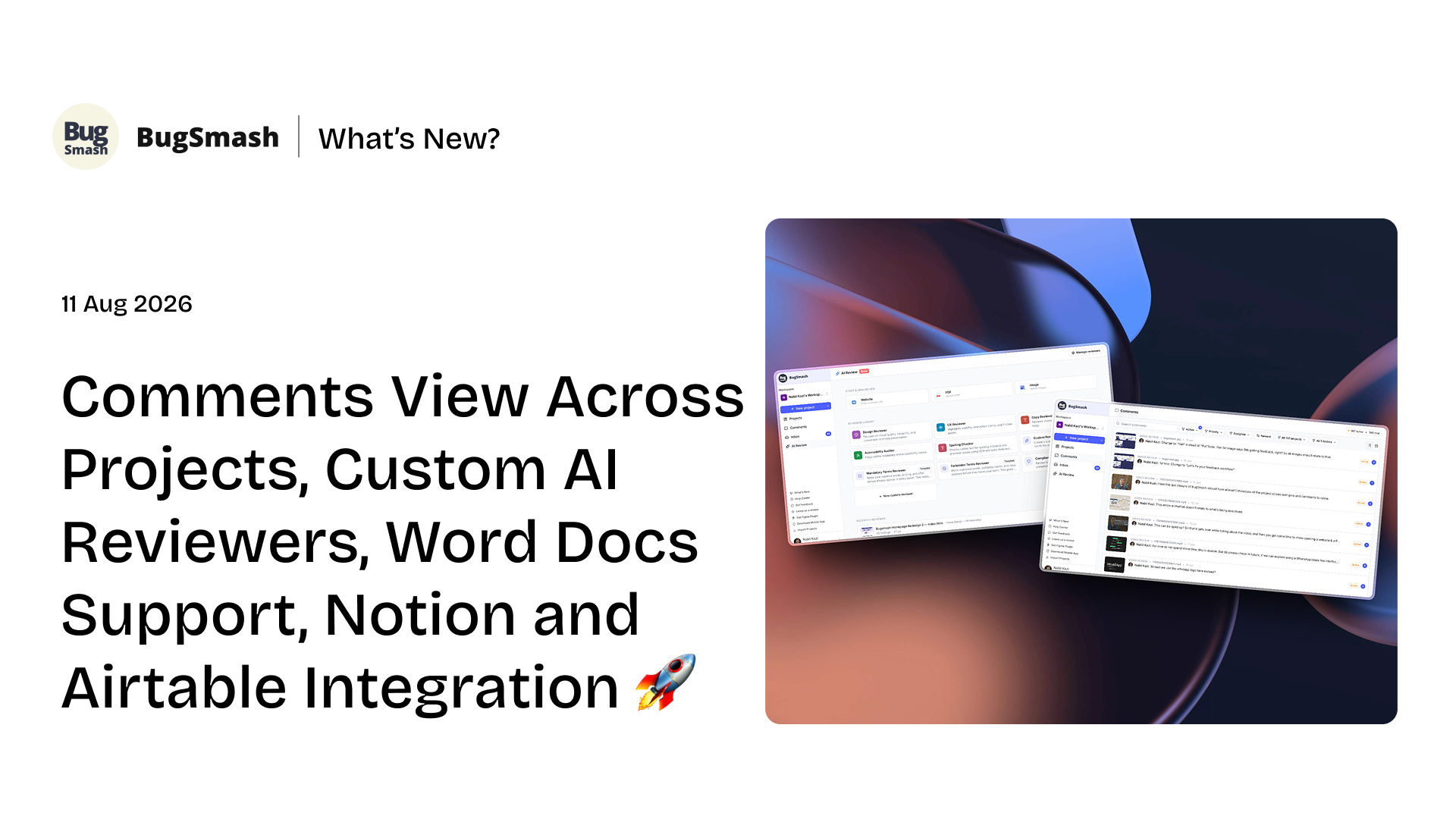
Unified Comments Space, Custom AI Reviewers, Word Docs Support, Notion and Airtable Integration & More 🚀

This update focusses on making reviews more centralized, AI-powered, shareable, and connected. You can now manage comments across projects from one place, create custom AI Reviewers, review Word documents, host static sites instantly, connect Notion and Airtable, and unlock powerful new APIs and collaboration controls. We’ve also made AI suggestions safer, project sharing more flexible, and PDF version comparisons significantly smoother.


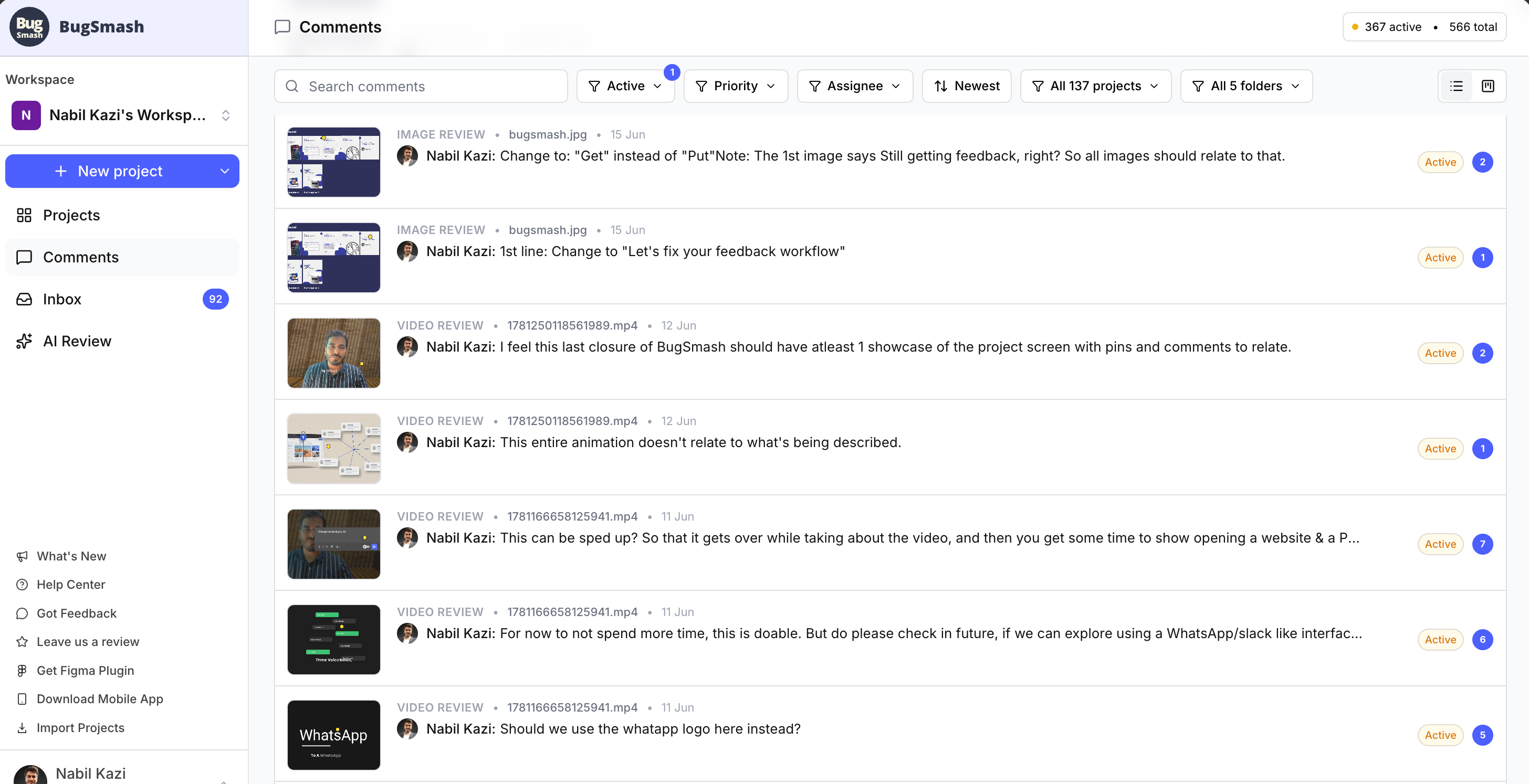
Unified Comments View Across All Projects

You can now view comments from all your projects in a single view, so you can track and act on feedback without opening each project.


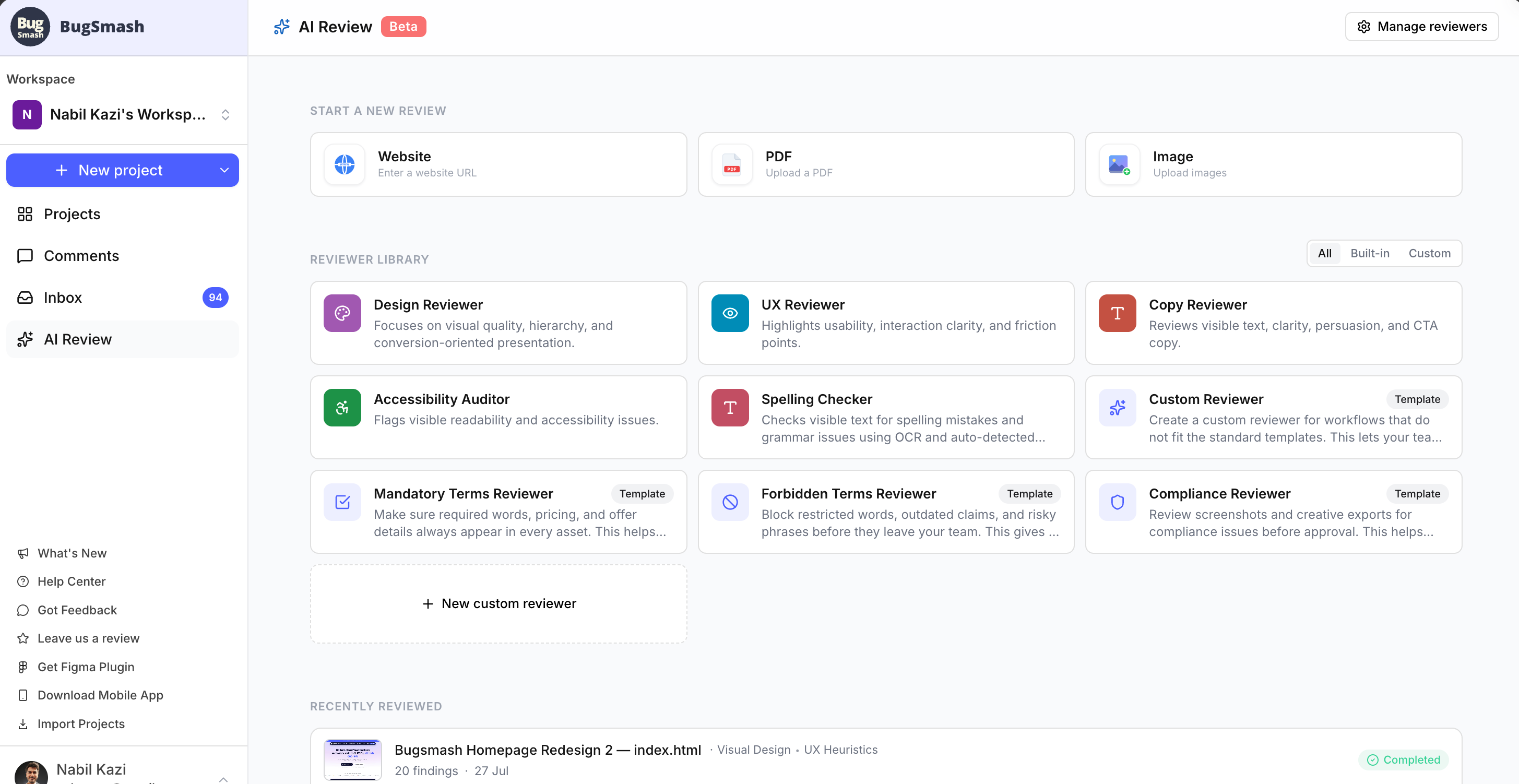
Custom AI Reviewers — Now Available on All Plans 🤖

Custom AI Reviewers are now available across all BugSmash plans, with usage limits based on your plan.

Create separate reviewers for Mandatory terms checking, Forbidden terms checking, Compliance checks or completely custom rules. Define your own criteria once, and let AI check them against your assets automatically, so common issues get caught before anyone on your team or clients opens it.


New Project Type: Word Documents 📄

BugSmash now supports Word document projects. Upload .doc and .docx files and bring document reviews directly into your existing feedback workflow.


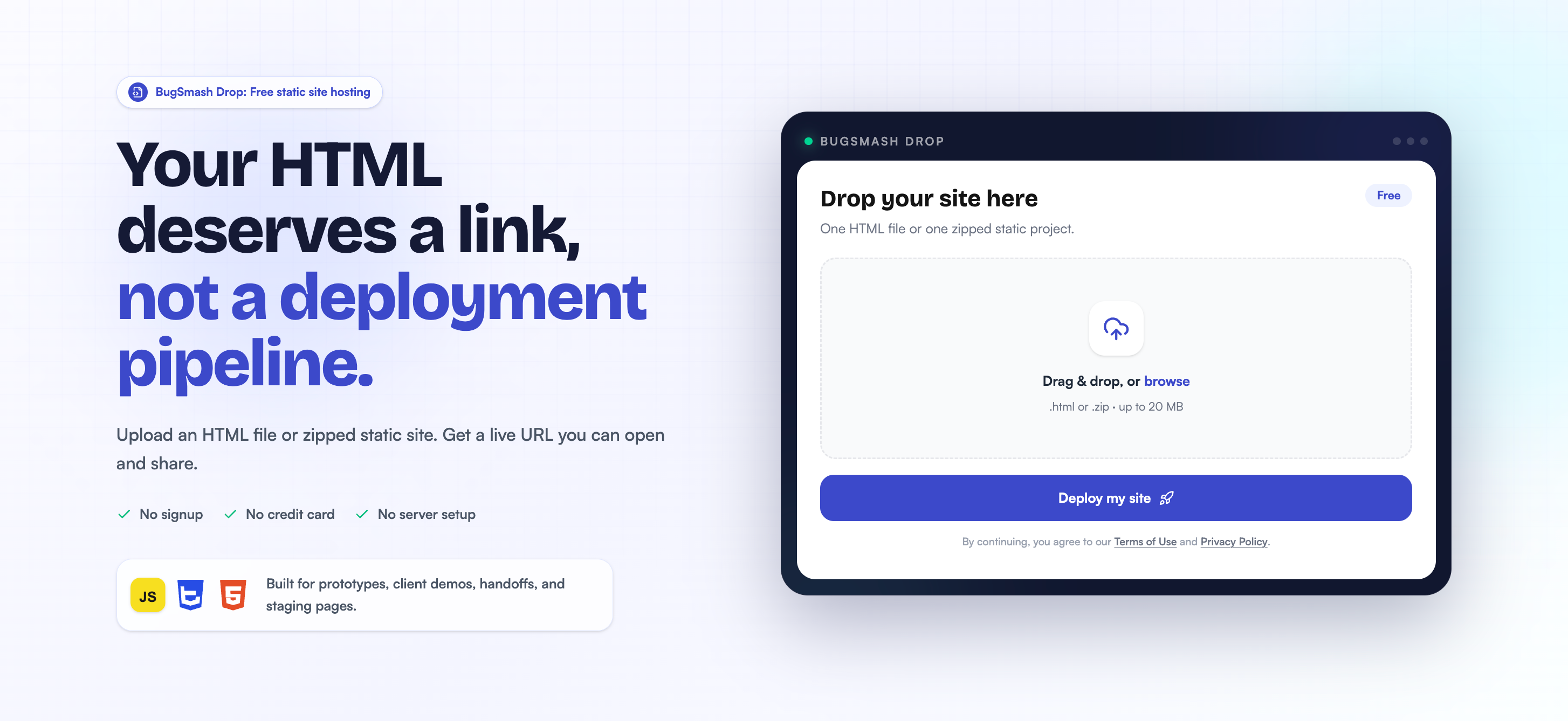
bugsmash.io/drop — Host Static Sites for Free ⚡

Need to quickly share a static website without deploying it properly?

With bugsmash.io/drop, you can host static sites for free in seconds. Drop your project, get a shareable URL, and start collecting feedback without setting up hosting infrastructure.


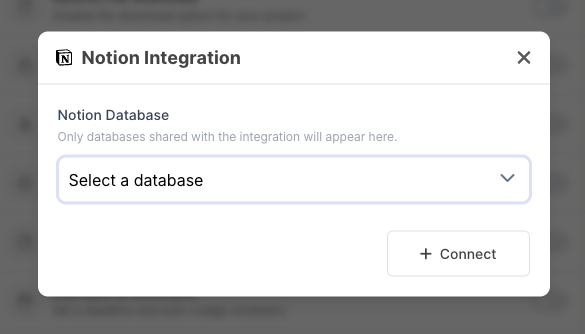
Notion Integration

BugSmash now connects with Notion. Connect your workspace and select your database for BugSmash to push all the comments automatically in Notion. Feedback lands where your team already tracks work, instead of in a separate tool.


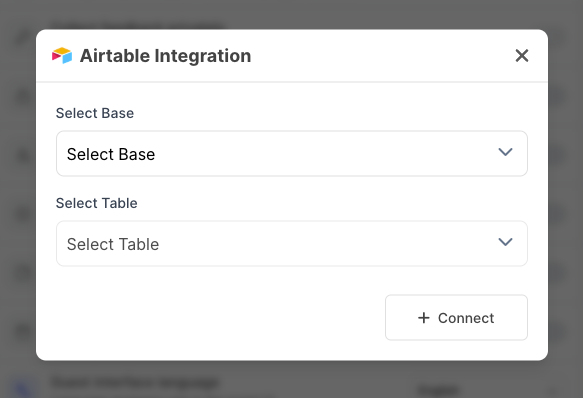
Airtable Integration

BugSmash now integrates with Airtable, allowing you to send feedback directly to your Airtable bases and tables.

Connect your BugSmash projects with your existing Airtable workflows and keep your feedback organized alongside the rest of your project data.


New 🆕

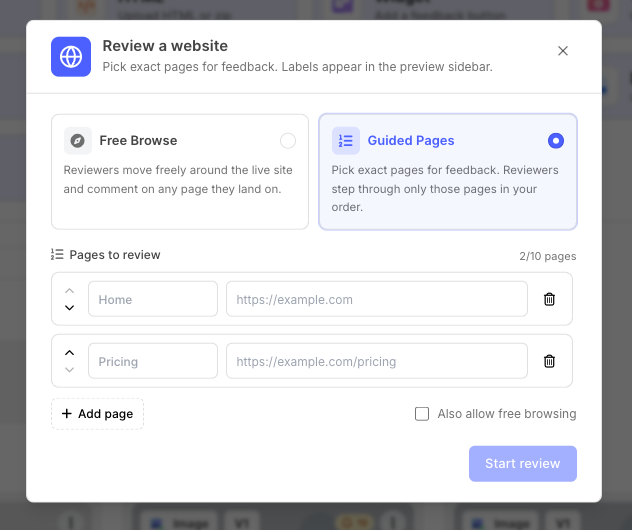
Subpages Within a Website Project

Getting feedback on part of a website used to mean choosing between two bad options: share the live site and tell your client "only review these five pages", then hope they stayed in scope, or upload each page as its own project and manage five separate reviews.

Not anymore! Website projects can now contain subpages. You pick exactly which pages go in, and reviewers see those pages and nothing else, all inside one project with the feedback in one place.


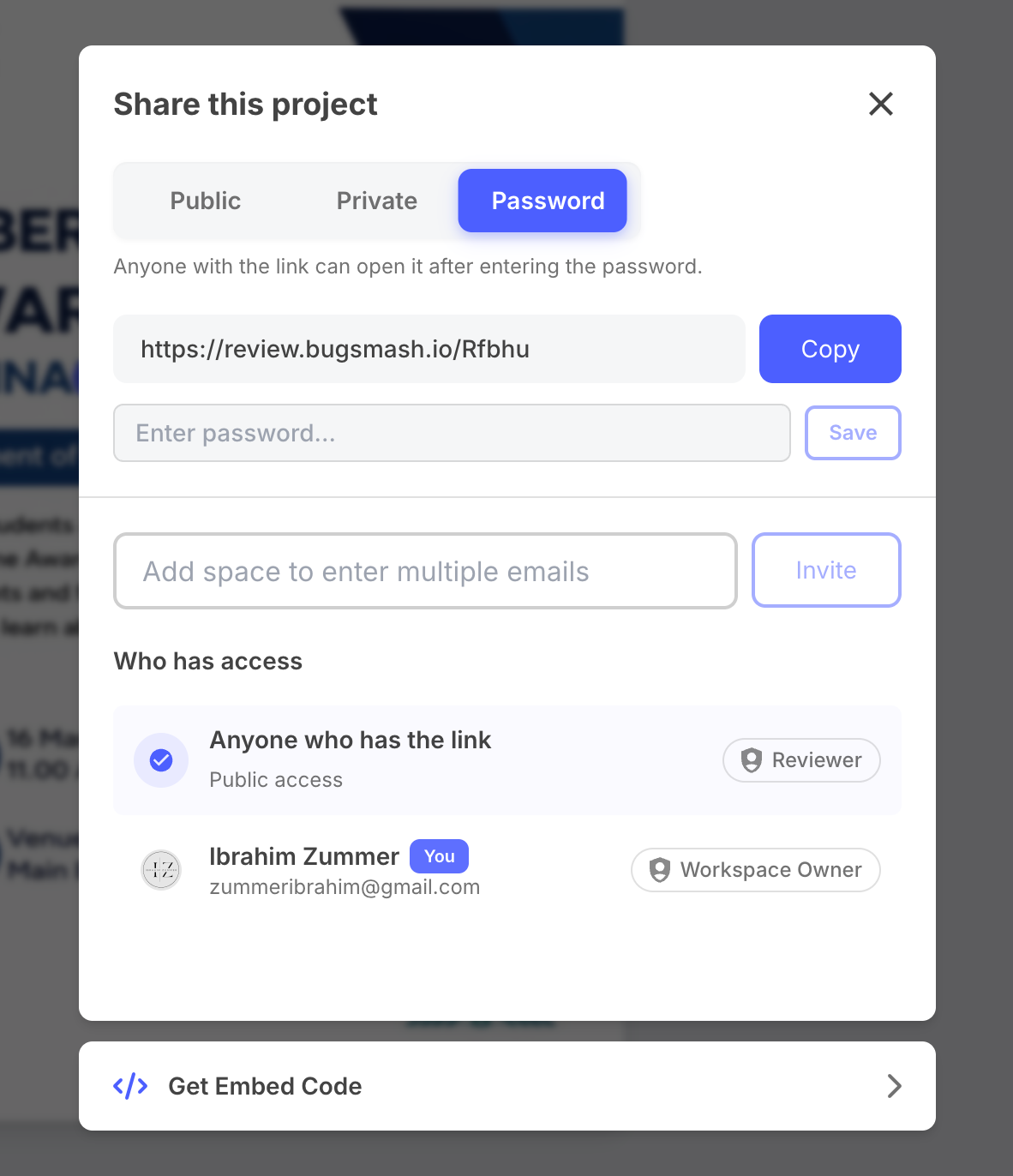
Password-Protected Project & File Sharing 🔐

You can now add a password to shared projects and individual files, giving you an extra layer of security when sharing review content with clients or external collaborators.


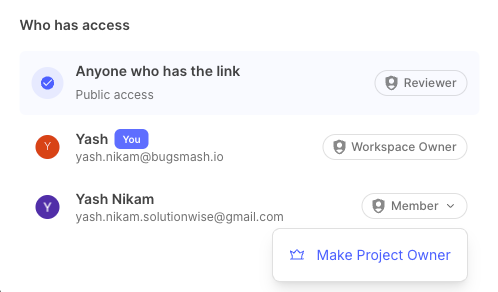
Assign a Project Owner 🔁

Project ownership can now be transferred to or assigned to another team member, making it easier to manage projects as responsibilities change.


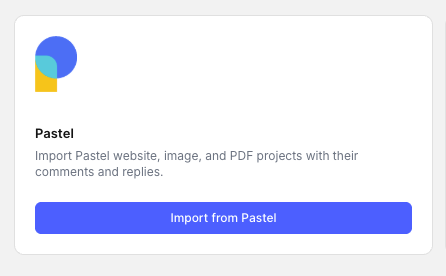
Pastel Import

You can now import projects and annotated comments from Pastel directly into BugSmash, making migration and continued review workflows easier. Just paste your Pastel project link and BugSmash does the rest!


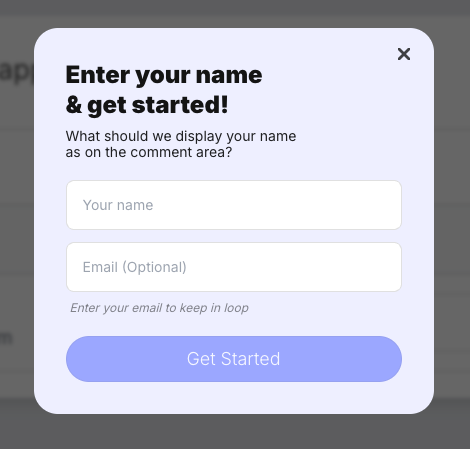
Guest Email Notifications — No Login Required

Guests can now receive project updates without logging in or creating an account. When a project is shared with a guest, BugSmash prompts them to enter their email so they can receive notifications about updates to the project.


Comments API — Location Context

The Comments API now supports returning a detailed location object containing contextual information about the exact location of a comment, including DOM information, pixel coordinates, and other positioning data.

This is particularly useful for AI agents and automation workflows, allowing them to understand exactly where feedback was placed and act on it programmatically.


Improvements ✨

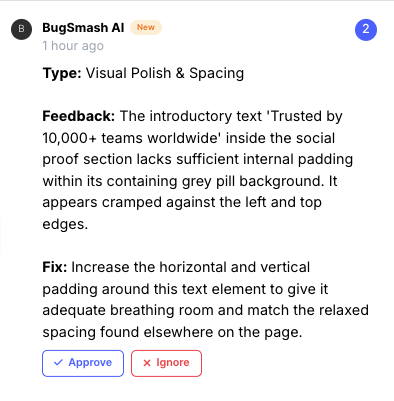
AI Review Suggestions Now Require Approval

AI Review suggestions now require your approval before they’re added as project comments, giving you full control over what feedback gets implemented.

Approve → Add the suggestion as a comment
Ignore → Remove the suggestion


Latest Version on Project Thumbnails

Project thumbnails on the dashboard now show the latest version number, making it easier to quickly identify the most recent version of each project. The number of comments by status shown on the preview also reflect the latest version.


Fixes 🛠️

Linked PDF Comparison Navigation

Fixed an issue when comparing two PDF versions where selecting a page in V1 required manually selecting the same page in V2.

PDF comparison now keeps page navigation synchronized, so selecting page 5 in V1 automatically selects page 5 in V2. Users can also toggle the linked behaviour when independent navigation is preferred.


PDF Comparison Pane Scroll Position

Fixed an issue where navigating to a specific page while comparing PDF versions could cause the left or right comparison pane to unexpectedly scroll back to page 1.

The comparison panes now maintain the correct scroll position corresponding to the page being reviewed.


Another big step forward for BugSmash. ❤️

We’re continuing to make reviews faster, smarter, and easier to connect with the tools teams already use. As always, we’d love to hear what you think and what you want to see next!

Earlier updates