What’s New — September 17, 2026
Recently Viewed By, Centralised flow to invite guest reviewers, Better marker positioning on websites & more 🚀
This update brings better visibility into who’s actually reviewing your projects, especially when working with Guest Reviewers. You can now see when, while new workspace-level Guest Reviewer invitations give you more control over their access
We’ve also made everyday workflows faster with bulk actions for comments and projects, continuous scrolling for documents, improved website marker positioning, PDF comment attachments, HTML bulk uploads, and CAD improvements.
✨ New Features
👀 Recently Viewed By
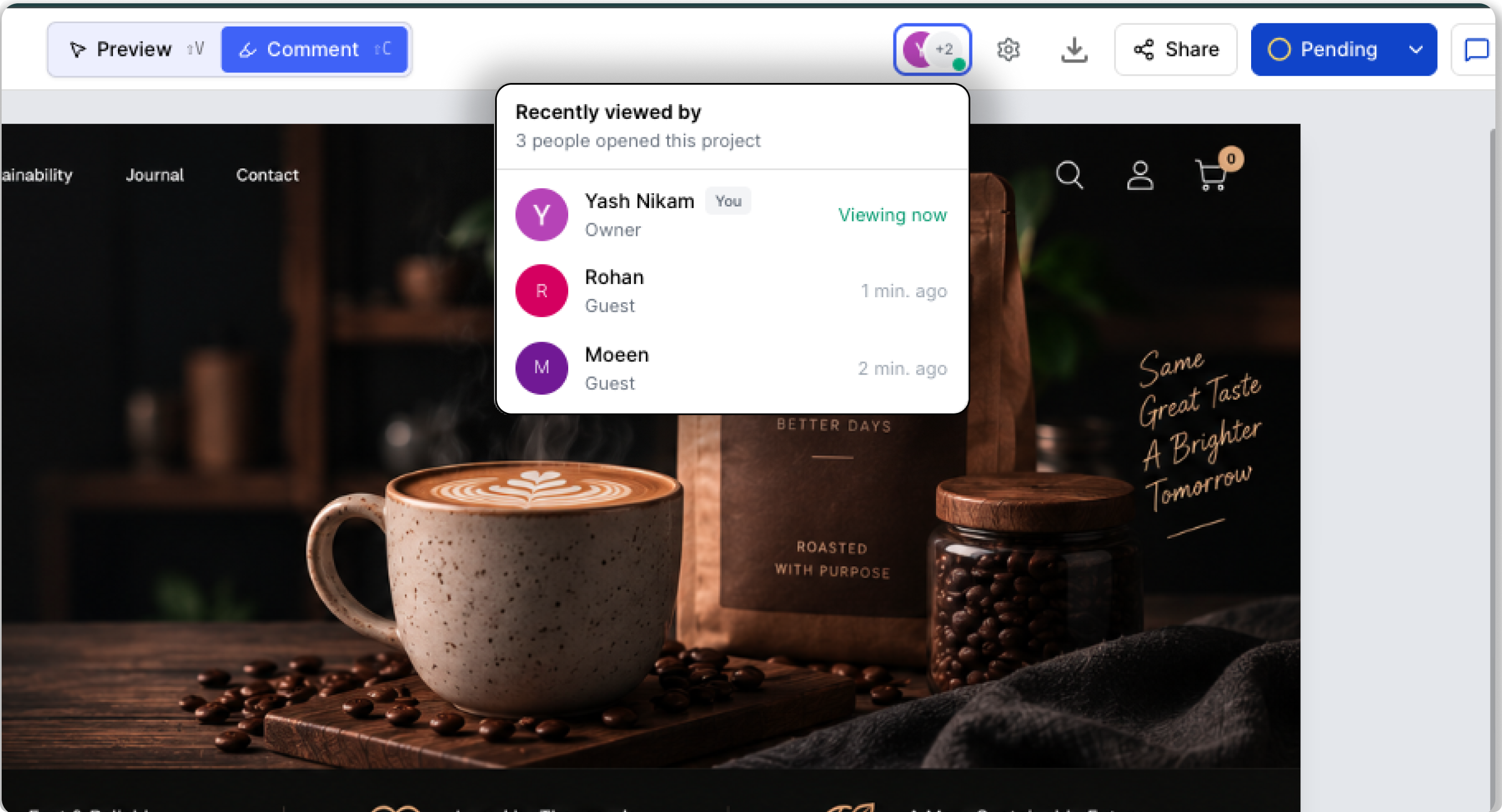
You can now see who is currently viewing your project, who has viewed it recently, and when they were last active.
This is especially useful when working with Guest Reviewers. Your internal team can now see when a guest has accessed a project, whether they’re currently reviewing it, and when they were last active.
Note: The Recently Viewed By section is only visible to the internal team, including Owners, Admins, and Members. Guest reviewers cannot see the activity of internal users.
You can see:
Who is currently viewing the project
Who viewed the project recently
When the guest reviewer or a teammate was last active
This gives your team better visibility into project engagement and makes it easier to know when clients, guests, or teammates are actively reviewing your work.
✨ Improvements
📍 Better marker positioning on websites
We've improved how markers stay positioned when changes are made to a website.
This helps keep feedback closer to its original location, even when the website layout or content is updated.
💬 Bulk update comments — Select all option
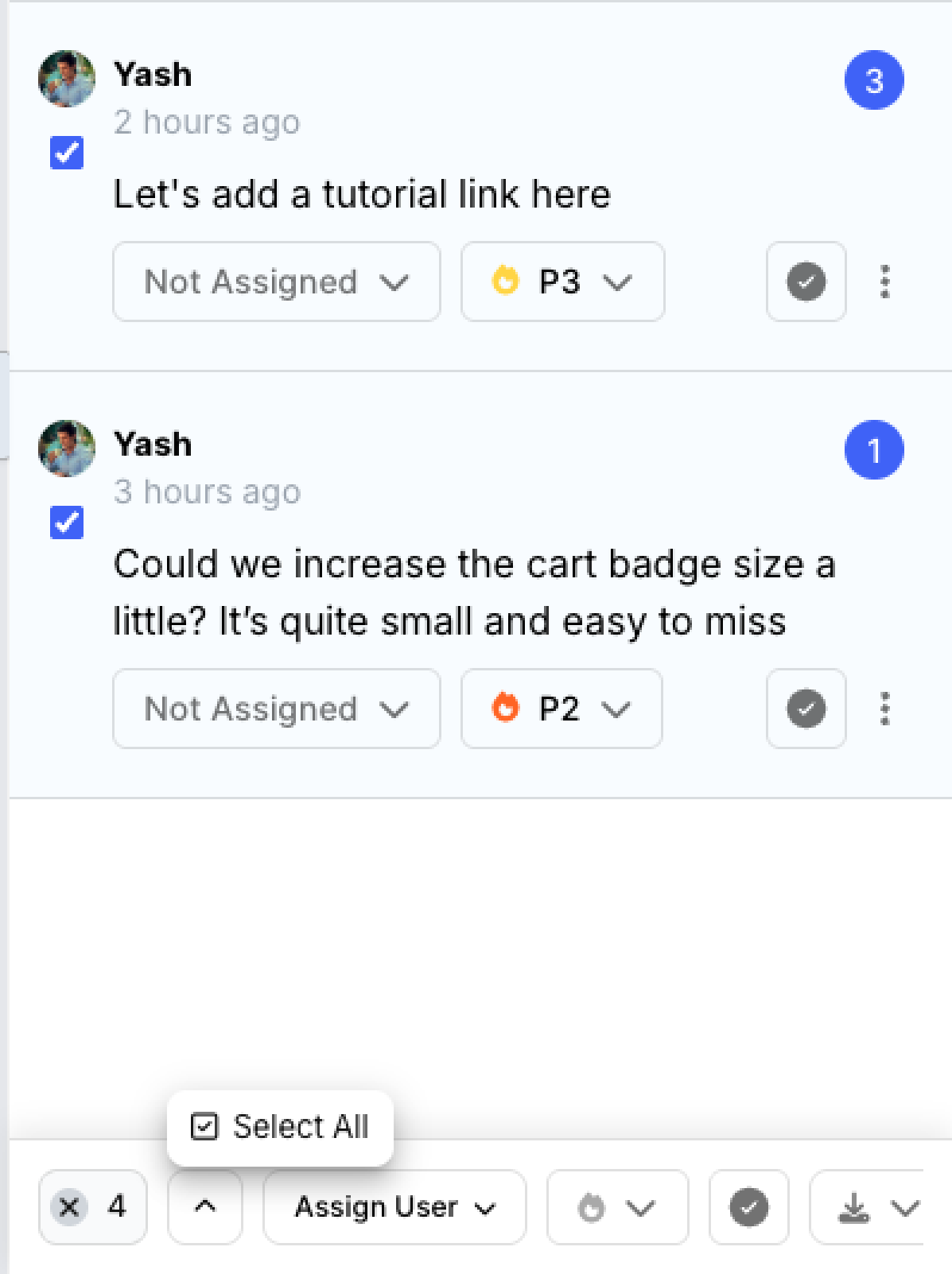
You can now select all comments at once and perform bulk actions instead of managing comments individually.
Once comments are selected, you can:
Assign multiple comments to a team member
Change priority in bulk
Resolve multiple comments at once
Delete multiple comments
Export selected comments
You can also export selected comments in different available formats, making it easier to prepare feedback, create reports, or share comments with your team.
Whether you're cleaning up feedback or updating a large number of comments, Select All makes comment management much faster.
📁 Bulk update projects — Select all option
You can now select all projects at once and manage them in bulk.
Instead of selecting projects one by one, you can quickly select everything you need and take action in just a few clicks.
With Select All, you can:
Delete multiple projects at once to quickly clear up workspace space
Move multiple projects into a folder
Organize large numbers of projects more efficiently
This makes it much easier to clean up your workspace and keep projects organized.
📄 Continuous scrolling for PDFs, PPTs & Docs
Reviewing multi-page documents is now smoother.
Previously, you had to manually switch between pages using the sidebar. You can now scroll continuously through PDF, PPT, and Doc projects, making it easier to review longer documents from start to finish.
👤 Invite Guest Reviewers from Workspace Settings
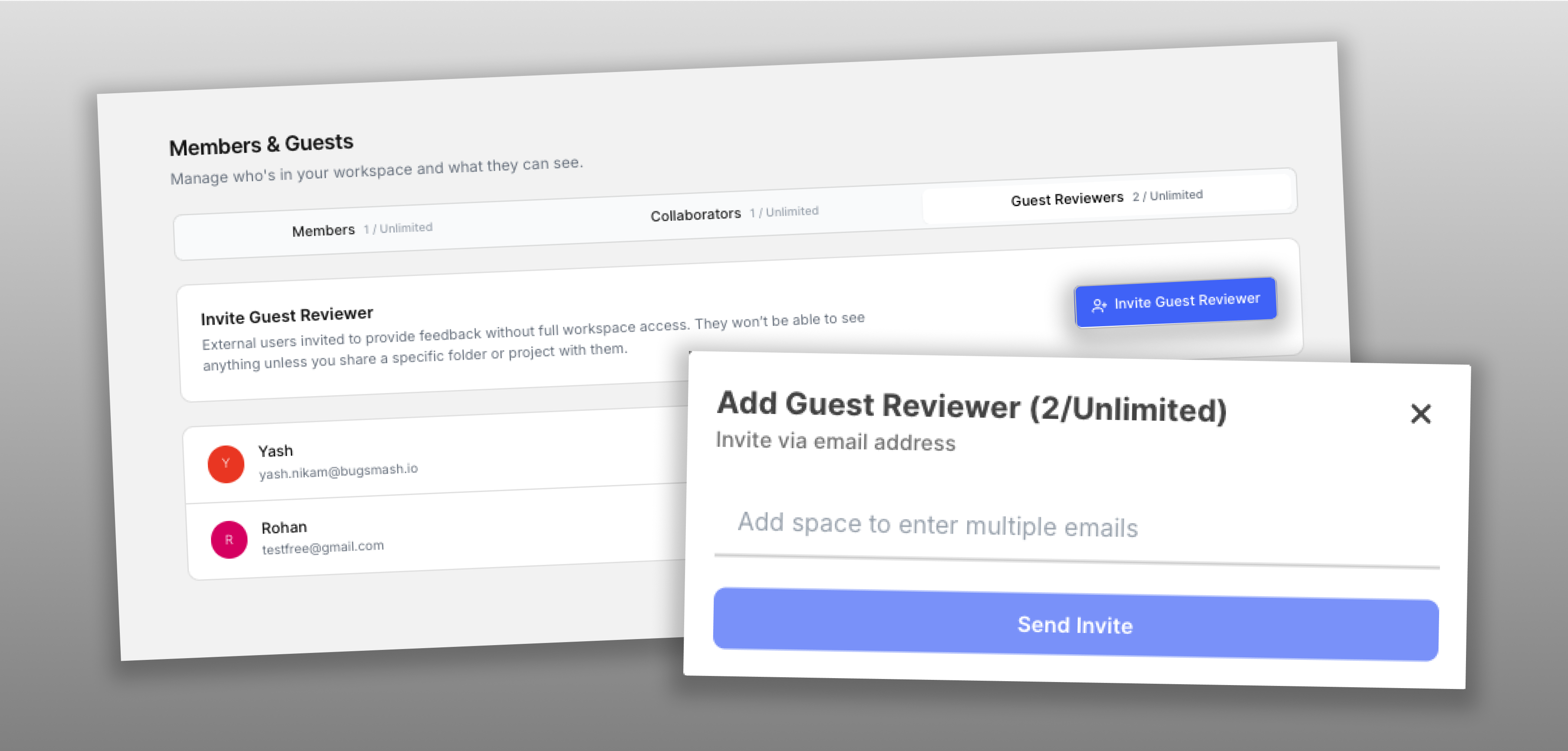
You can now invite Guest Reviewers directly from Workspace Settings.
Guest Reviewers can have access to your workspace without automatically seeing all of your projects.
Once invited, you’ll need to manually share the specific projects or folders you want them to access.
This gives your team more control over what each Guest Reviewer can see while keeping the rest of your workspace private.
📎 PDF attachments in comments
You can now attach PDF files directly to comments.
This makes it easier to share supporting documents, references, specifications, and additional context alongside your feedback.
</> HTML files in bulk uploads
Bulk uploads now support HTML files.
You can add HTML files alongside other supported files when uploading multiple projects at once, making it easier to upload and organize larger sets of project files.
🛠️ Fixes
Folder project count updates
Fixed an issue where the project count shown on a folder wouldn't update immediately after adding a new project.
The count now updates correctly as soon as a new project is added.
Improved CAD pinch-to-zoom
Fixed an issue where pinch gestures in CAD projects could zoom in or out in the wrong direction.
Pinch-to-zoom now works as expected when inspecting CAD drawings.
🚀 Smoother Reviews, Better Collaboration
From knowing when guests and teammates are reviewing your projects to managing comments and projects in bulk, this update makes everyday workflows easier across BugSmash.
With smoother document navigation, more flexible Guest Reviewer access, better website markers, and support for more ways to share feedback, you can spend less time managing your review workflow and more time getting work done.
More improvements coming soon. 🚀