Guest Access & External Reviewers
Written By Team BugSmash
Last updated 5 months ago
Why it’s useful
Clients and stakeholders can leave feedback without an account — streamlining review while protecting internal discussions.
How it works
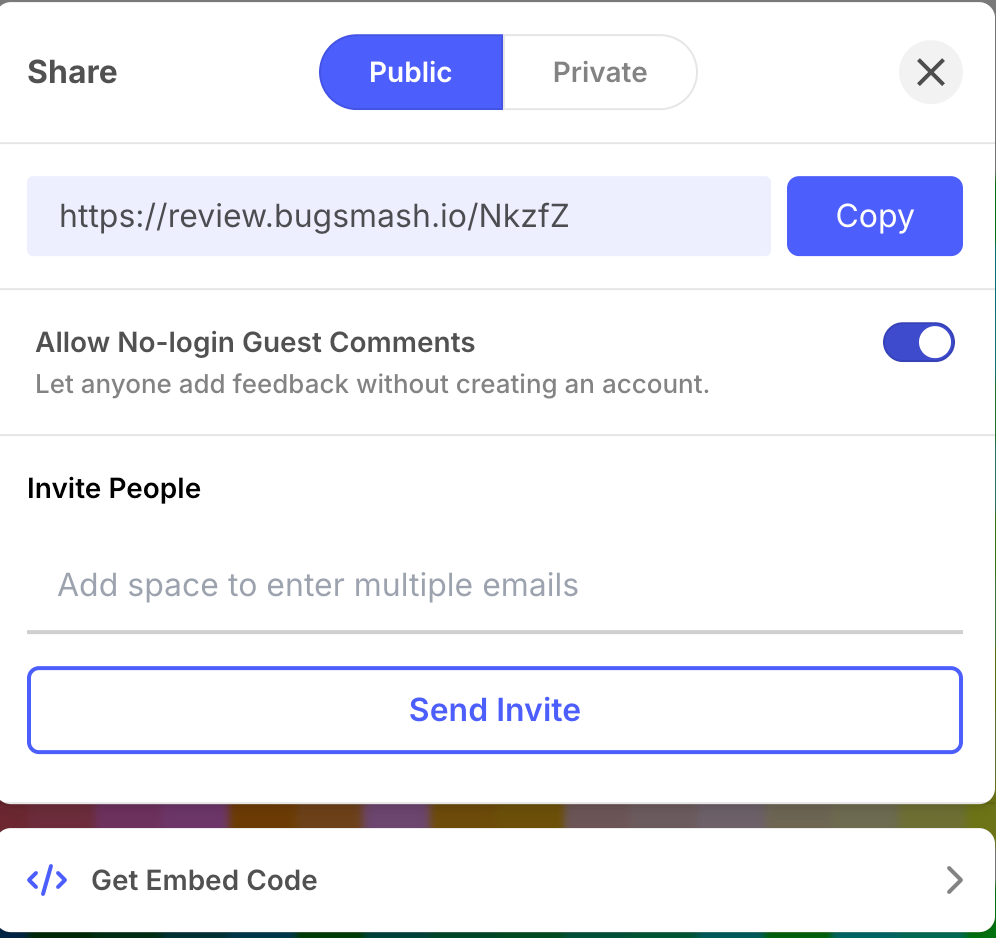
1. Inside the project, click Share → Allow No-login Guest Comments.
2. Copy the generated link.
3. Send the link to the client.
Guests can:
- View assets
- Add public comments
- Reply to existing threads
They cannot:
- See private comments
- Change project settings
- Delete or resolve threads
Example
> A client opens the secure link, drops comments on a PDF, and leaves.
> Internal team later reviews in private mode before marking resolved.
Tips
- Disable guest access once the project is approved.
- Use different share links for each reviewer group if needed.
- Include a short message explaining how to comment.
Still need help? Ask the team