Guided Pages
Written By Team BugSmash
Last updated About 2 months ago
Guided Pages lets you choose the exact pages you want reviewers to review in a website project.
Instead of asking reviewers to find the pages themselves, you can add the pages you want them to review and control whether they can access other pages of the website.
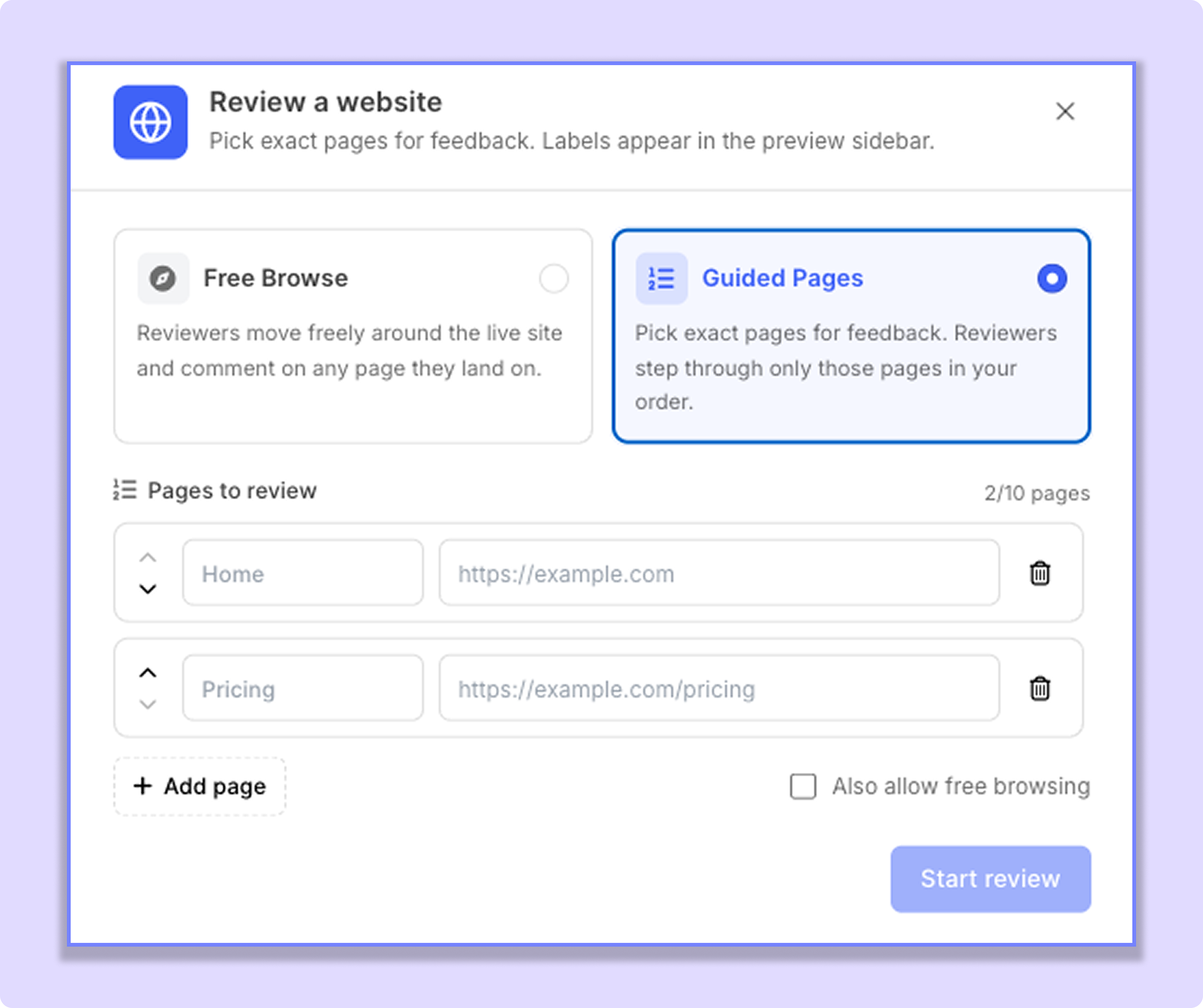
Add Pages for Review
When creating a website project, select Guided Pages and add the pages you want reviewers to check.
For each page, you can add:
Page name — for example, Home or Pricing
Page URL — the exact URL of that page
Up to 10 pages are supported within Guided Pages review.
You can also delete, update, or rename the page from the left sidebar of the project review interface
Allow Free Browsing
Below the list of pages, you'll see the Allow Free Browsing toggle.
This setting controls whether reviewers can navigate to pages outside the ones you've added.
1. When Free Browsing is Enabled
Reviewers can:
Review the pages you've added to Guided Pages.
Navigate to other pages on the website.
Add feedback on those additional pages as well.
For example, if you've added Home and Pricing, a reviewer can still navigate to About Us or another page on the website and leave feedback there.
2. When Free Browsing is Disabled
Reviewers are limited to the pages you've added to Guided Pages.
They cannot navigate to other pages of the website and can only add feedback to the selected page URLs.
This is useful when you want the review to stay focused on a specific set of pages.
Change the Setting Later
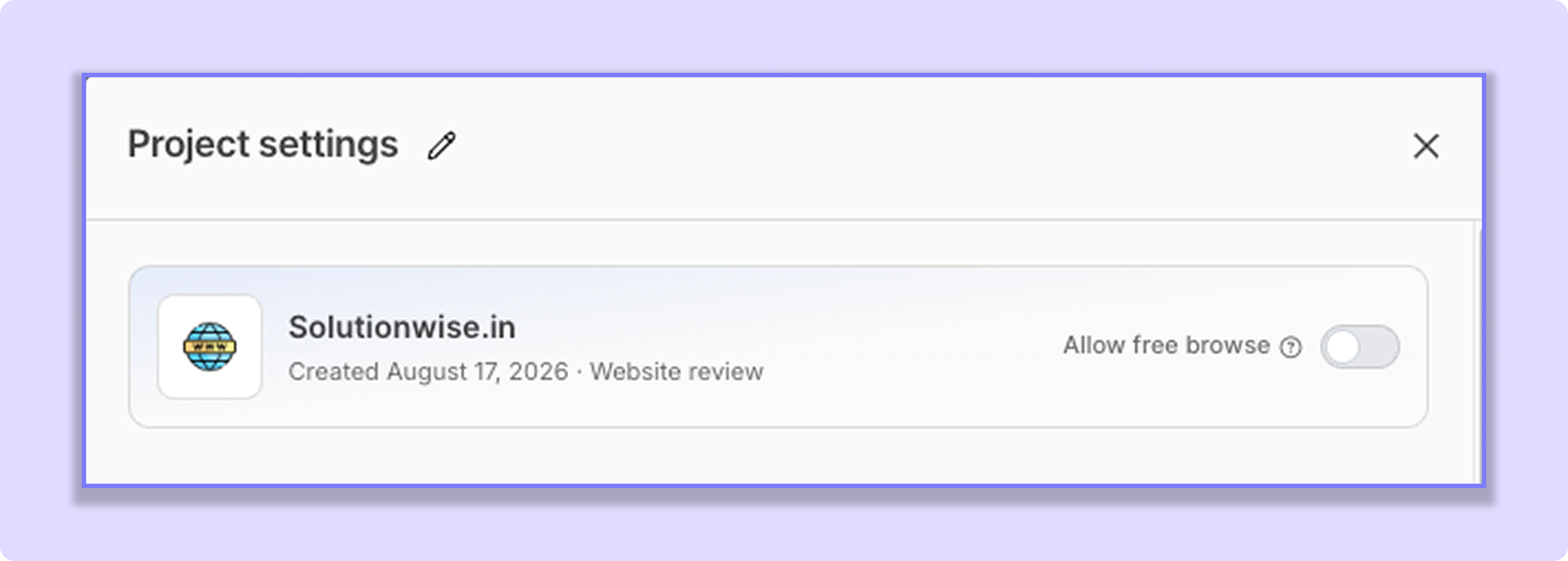
You don't have to keep the same setting throughout the project.
After uploading the website, you can open Project Settings and enable or disable Allow free browsing from the project settings
For example, you can start with free browsing disabled for a focused review and enable it later if you want reviewers to explore the rest of the website
Simple Example
Let's say you add these two pages:
Homehttps://example.com
Pricinghttps://example.com/pricing
If Allow free browsing is OFF, reviewers can only leave feedback on these two pages.
If Allow free browsing is ON, reviewers can also navigate to other pages such as:
Abouthttps://example.com/about
Contacthttps://example.com/contact
and leave feedback there.
Still need help? Ask the team